
Overcoming Digital Hurdles for Your Umrah Visa Application
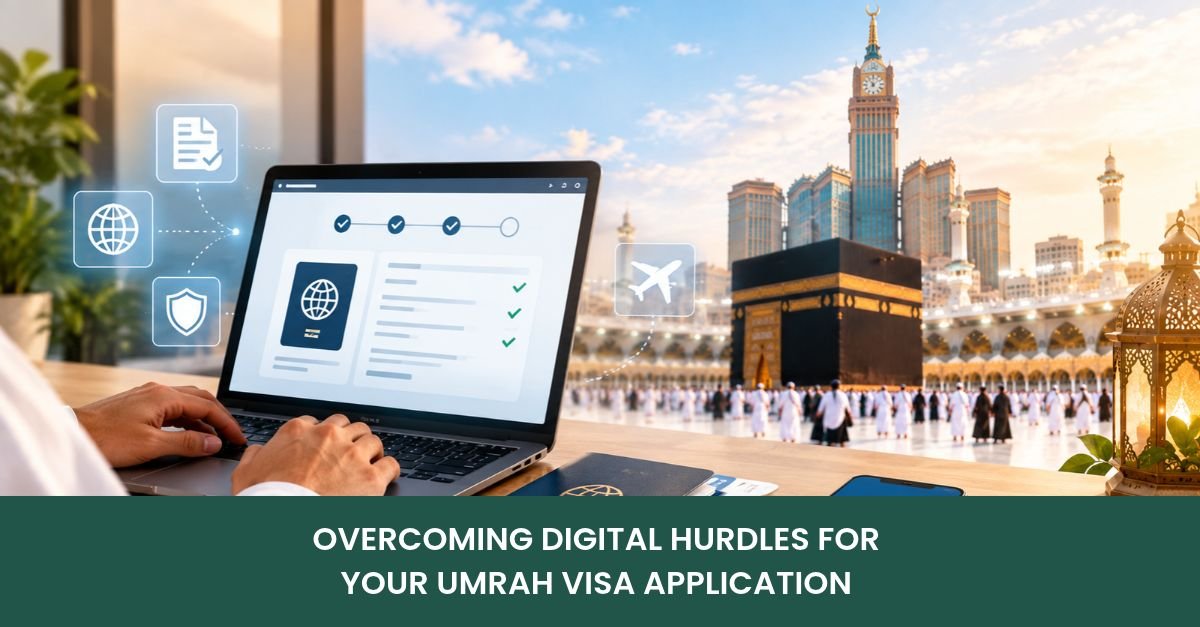
You sit at your desk. You open your laptop lid. The screen glows very brightly. You want to visit Makkah. You feel a deep calling. You start the online process. Filling out your umrah visa application seems very simple initially. There are a few boxes. You see empty text boxes. You type your first name. You type your last name. You upload your passport photo. You click the submit button. The website suddenly freezes completely. The loading icon spins endlessly. You feel a sudden panic. Your heart beats very fast. This is a common problem. Many people face this daily. Do not worry about it. You just need some patience.
The system is highly automated. Saudi Arabia uses smart AI. The AI checks your documents. It looks at your photo. It checks the lighting quality. A dark photo fails instantly. The computer rejects the file. It does not think twice. It just blocks your upload. You must use bright light. You must scan it properly. Use a flatbed digital scanner. Phone photos often have shadows. Shadows cause instant AI rejection. You must follow the rules. Do not use your old phone. The camera lens is dirty. Wipe the glass lens carefully. Put a white sheet up. Stand against the white wall. Turn on the room lights. Do not use camera flash. Flash creates a white glare. Glare ruins your forehead completely. The computer hates bright glare. It wants flat, smooth light. Take three or four photos. Choose the absolute best one. Send it to your laptop.
People use official umrah visa services often. These services are very helpful. Agencies have special cropping software. They fix your bad photos. They make the background white. White backgrounds are strictly required. You cannot wear a hat. You cannot wear dark glasses. The AI scans your eyes. Clear eyes pass the test. Professional agents know this well. They save you massive stress. They fix errors very quickly. They know the digital system.
When you buy umrah packages 2026, they include checks. The agency verifies your files. They check them before payment. You test the upload first. The system shows green ticks. Green ticks mean you pass. Then you safely move forward. This prevents lost payment fees. You save your hard-earned money. Modern systems are very efficient. But they are completely unforgiving. You must be totally accurate. One typo ruins everything fast.
Let us look at errors. The portal shows error codes. You must understand these codes.
| Error Code | Real Technical Cause | Quick Fix Action |
| ERR-402 | Low photo resolution detected | Rescan photo at 300 DPI |
| ERR-109 | Name mismatch with passport | Type exact MRZ text lines |
| ERR-505 | Bank blocked foreign payment | Call bank to authorize charge |
| ERR-301 | Duplicate draft application found | Clear cache or wait hours |
Many travelers panic at errors. They close the browser window. They lose all typed data. Do not close the window. Read the red text carefully. Find the specific error code. The table above helps you. A stuck umrah visa application is extremely frustrating. It usually means payment failed. The screen says pending payment. But your bank blocked it. Foreign charges trigger fraud alerts. Your UK bank stops it. Banks are very suspicious. They block money going abroad. They do this for safety. Saudi Arabia is a foreign country. The bank computer stops it. You get a text message. The message says payment declined. You must reply to it. Reply ‘YES’ to the message. Or call the number provided. Wait on the phone line. Listen to the boring music. Speak to the bank agent. They will authorize the charge. You try it online again. It finally works this time. You sigh with massive relief.
Do not click back repeatedly. Clicking back causes duplicate drafts. Duplicate drafts lock your passport. The system freezes your profile. You cannot apply for hours. This causes a huge delay. If this bad thing happens, seek help. Ask licensed umrah visa services for fast help. They can clear the queue. They have special agent portals. They reset your frozen profile. You can start over safely.Your passport needs strict checking. Check the expiry date today. Open your physical passport booklet. Look at the photo page. Find the exact expiry date. It must have six months. Six months from your flight. Not six months from today. Check the flight arrival date. Add six months to it. If your passport expires early, stop. You cannot travel with it. The airline will reject you. The Saudi border will close. You will lose your flight. Get a new passport first.
Another major mistake is typos. Look at the passport number. A zero looks like ‘O’. The letter ‘O’ causes failures. The computer reads them differently. Typing ‘O’ ruins your visa. The visa prints out fine. It looks totally real online. But the border scan fails. The border database finds nothing. You sit in the airport. You wait for many hours. The border police investigate you. It is a terrible nightmare. Avoid this by checking twice.
Always check the MRZ strip. The MRZ strip is special. It has all your data. It is for airport computers. It has many arrow shapes. It has your birth date. Look at it very closely. Match every single letter perfectly. A small mistake is fatal. Do not rush this step. Take a deep breath first. Type it slowly with care. Read it backwards to check. Reading backwards catches typos fast. It is a smart trick. Agents use this trick daily. It removes all special accents. It removes all complex dashes. Type exactly what is there. This matches the official database. It ensures a fast approval. If you submit twice badly, the AI flags your profile. It thinks you are spam. Spam profiles get blocked fast. Treat your umrah visa application with serious care. It is a legal document. It is not a game. Most umrah packages 2026 include great safety nets too.
Think about your small children. Children need their own visas. They cannot travel on yours. Each child needs a file. You must scan their passports. Taking photos of babies is hard. They move their heads constantly. They cry during the photo. Try to take it while they’re sleeping. Lay them on white sheets. Take the photo from above. This works very well often. The AI accepts sleeping babies. Their eyes can be closed. The rules are slightly softer. But the background must be white. The face must be clear. No toys in the picture. No pacifiers in their mouths.
This makes your umrah visa application very easy. You manage the family well. You handle the digital files. You organize everything in folders. Create a folder on the desktop. Name it “Umrah Trip Files”. Put all passports inside it. Put all photos inside it. Rename every file very clearly. Name it “Ali_Passport_Scan.pdf”. This stops you from uploading the wrong files. Uploading the wrong passport is disastrous. The visa prints the wrong face. You cannot fix it easily. You must pay the fee again. The fees are quite expensive. Do not waste your money. Be highly organized and careful.
Digital Travel Tip: Check your visa QR code. Open the downloaded PDF file. Point your camera at it. The code opens a website. The website must show the Saudi Ministry. It must show your name. If it does, you are safe. Your visa is fully active.
You are now fully ready. Your umrah visa application is finally complete today. You survived the digital maze. You avoided the AI rejection. You checked your passport digits. You cleared your bank payments. You printed your paper files. You downloaded the Nusuk app. You packed your travel folder. You are going to Makkah. You will see the Kaaba. You will pray in peace. The stress is completely gone. You feel a deep joy. This journey will change you. It will clean your heart. Have a very safe trip.
Still need any help? Contact Kiswah Travels today!